Spring Cleaning? Nah… Go to Tech Events Instead!

Wow… it’s been a pretty crazy few weeks around here in Microsoft-land.  First BUILD, then Ignite… plus a bunch of IT Camps.  There is a lot going on with more to come, I can barely keep track of it all.  I’m hoping this week I will have time to check out a few sessions that I missed at Ignite (I’ll share my list!) as well as get more hands-on with whatever version of Windows 10 we have flighting for those Windows Insiders.

Meanwhile, don’t miss a few more upcoming learning events!
Next week in SF on 5/19  – Hybrid Cloud and Azure, IT Camp!  If you are just starting to think about using the cloud for workloads you’ve had on-prem for decades or just want to get your feet wet with Azure, this camp is probably for you!  Seriously, come pick my brain about Azure IaaS.

  • For other IT Camps in other cities, visit http://www.technetevents.com/
Mobility Transformed: The Path to Windows 10 roadshow will be coming to 11 cities in May and June. Join members of the Microsoft product team for interactive discussions & demos and be one of the first to learn tips and tricks for Windows 10, Office 365, and more to ensure you are on the leading edge of devices and services!
Check out https://itpro.mobilitytransformed.com/ and register for a city near you:
  • 5/12 – Seattle, WA
  • 5/12 – Houston, TX
  • 5/14 – Denver, CO
  • 5/19 – Minneapolis, MN
  • 5/26 – San Francisco, CA
  • 5/28 – New York City, NY
  • 6/2  – Anaheim, CA
  • 6/3  – Newton, MA
  • 6/4  – Indianapolis, IN
  • 6/9  – Charlotte, NC
  • 6/11 – Jacksonville, FL
If you are Dev-minded or have Dev buddies who didn’t get to BUILD, the Build Tour is starting and hits 5 cities:

18-May New York City – https://newyork.build15.com/
20-May Atlanta – https://atlanta.build15.com/
29-May Austin – https://austin.build15.com/
10-June Chicago –  https://chicago.build15.com/
15-June Hollywood – LA – https://losangeles.build15.com/

Didn’t Get to Ignite? Free IT Camps in 6 Cities Next Week!

I’ve had the pleasure of spending this week at Microsoft Ignite, but not everyone can get away for a week long conference.  If you would like to learn how to get your organization hybrid-ready, consider one of the FREE IT Camps near you.

In just one day of hands-on training, you’ll learn how to move your IT workloads from on-premises to the cloud and back again. After all, who wants to choose between your datacenter and the public cloud? With Microsoft Azure, you get the best of all possible scenarios – plus, powerful virtualization, on-demand application scaling, complete data control and much more.

These are all being presented by some of my good friends and colleagues, so you won’t be disappointed!

Ignite Is Around The Corner!

Yeah, I keep calling it TechEd.  Old habits die hard, I guess, but I’m looking forward to being there next week.  However, I haven’t had time to really look at the schedule, since I will be spending a lot of time hanging out in the Windows Client area on the expo floor.  Stop by to visit!

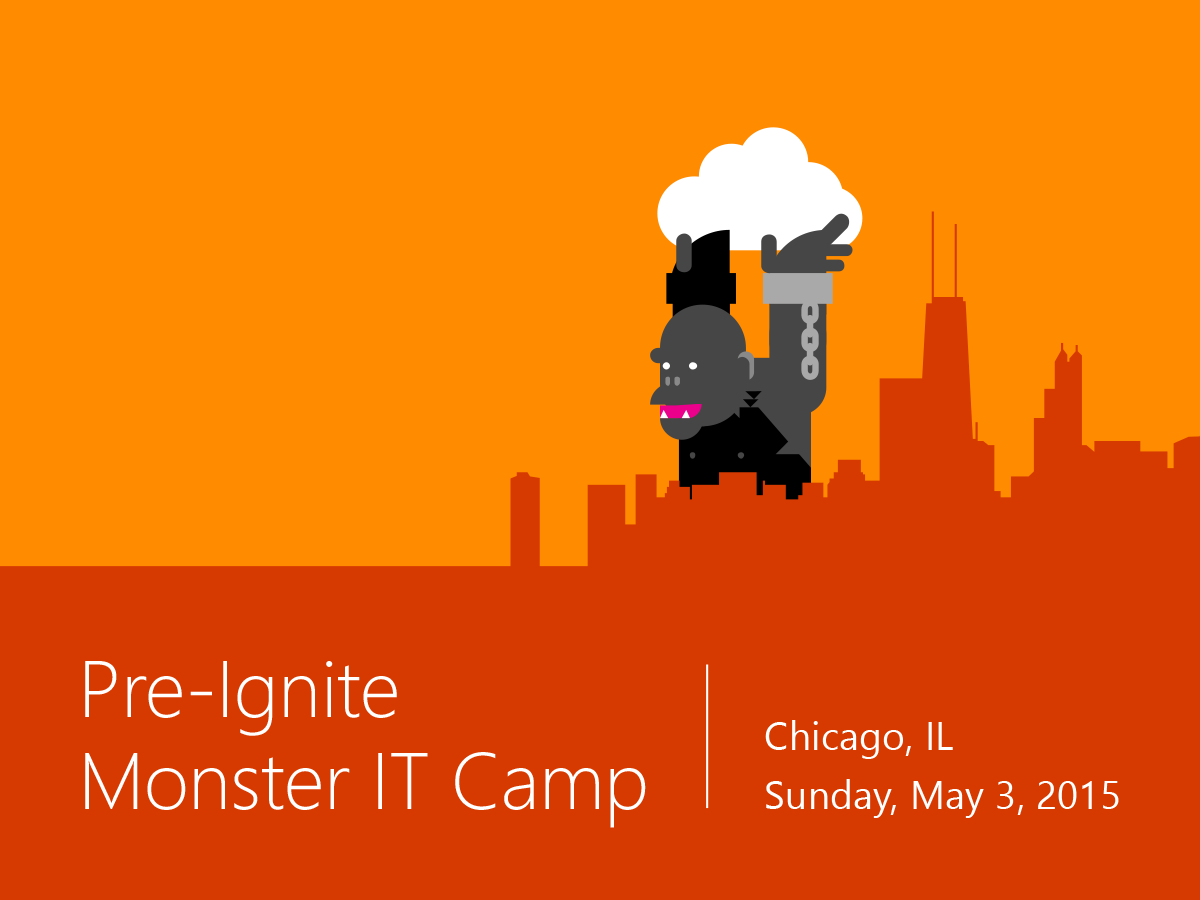
If you happen to be in the Chicago area early on Sunday and want to get a jump on some Azure and Hybrid Cloud learning, sign up for the Ignite version of our IT Camp!  We want it to be huge and it even comes with $100 voucher to the Microsoft Store!  It starts at noon, so you can still sleep in.

Register at http://aka.ms/monsteritcamp

But seriously, I need to nail down my schedule. If you’ve got a sessions you think can’t be missed, let me know in the comments!

More IT Camps Coming Your Way this Week!

Extend your datacenter with Microsoft Azure – Learn how to get your organization hybrid-ready at a FREE IT Camp near you, particularly if you are in the midwest or on the east coast!

In just one day of hands-on training, you’ll learn how to move your IT workloads from on-premises to the cloud and back again. After all, who wants to choose between your datacenter and the public cloud? With Microsoft Azure, you get the best of all possible scenarios – plus, powerful virtualization, on-demand application scaling, complete data control and much more. 

Expect lively demos and hands-on labs from IT experts who will get you fired up and ready to apply what you’ve learned. Here are just some of the topics we’ll cover:

  • Migration of on-premises virtualization to Azure Virtual Machines, Apps, and Storage
  • ADFS on Microsoft Azure and Office 365 Integration, including  Multi-Factor authentication
  • Microsoft Azure for Test and Development (IaaS)
  • Application migration to Microsoft Azure (IaaS & PaaS)
  • SQL BI, Media, Backup, DR and much more

Regardless of whether you’re new to the cloud or you currently use an on-premises, hybrid or fully cloud-based solution, you’ll learn valuable new ways to extend your datacenter and expand your IT options. Don’t miss this free event in your local area. 

This week events are upcoming in  Jacksonville (4/29),  Hartford (4/30), Miami (4/30) and Des Moines (4/30)!

SITPUG Meets Again on May 13th

If you are a Seattle local, the May SITPUG meeting has been scheduled!

Due to Microsoft Ignite conference in Chicago the week of May 4th, the meeting has been moved to the following Wednesday. SITPUG will meet on Wednesday, May 13, 2015 from 6pm-8pm at the Microsoft Civica Office in Bellevue.
Presentation – Extending your Datacenter to Azure with Virtual Networks and PowerShell:
You might love your on-premises datacenter and the GUI tools Microsoft has provided since the NT 4.0 days but the cloud is here to stay and it’s sometimes easier to manage the cloud if you leave the GUI behind. Learn how you can use a VPN to connect your datacenter to Azure, or how to create your own test lab in the cloud, then use PowerShell to create and manage Virtual Machines (VMs) from your desktop.

Upcoming Online Events in April and May

Because you don’t have enough on your calendars yet, right?

April 23rd – Microsoft Intune Core Skills Jump Start 
Doesn’t it seem like there’s a shiny new mobile device released every other day? And another story about someone losing one of those devices (along with 100,000 customer records)? As the IT superhero you are, you do everything you can to enable mobility, but it often comes down to a tradeoff between flexibility and security. We can help, as we look at the latest mobility features in Microsoft Intune, a born-in-the-cloud device management solution, including how you can integrate with the existing market leader in endpoint management, Microsoft System Center Configuration Manager (SCCM), and manage mobile devices with Office 365. 

May 5th – Exploring Microservices in Docker and Microsoft Azure 
Get a look at the future of application architecture, and put it into practice now. Update your site in milliseconds with microservices, which are supported by Microsoft Azure and offered as a service. Self-contained for fit and purpose, they are a key part of the world of continuous delivery and DevOps. Investigate the benefits and challenges of microservices. learn from real-life examples and demos, and get lots of practical guidance.

May 14th and 15th – It’s not an MVA course, but join Microsoft MVPs and Developer Experience CVP Steven Guggenheimer for a free 2-day virtual conference. Register today to learn about the latest tech trends. 

Need some Hands-On with Azure to learn more about Hybrid Cloud?

Get hybrid-ready at a free IT Camps in San Francisco and Sacramento next week!

Join us for this interactive, full-day training session and learn how to move your workloads from on-premises to the cloud and back again. You’ll see how Microsoft Azure supports powerful virtualization, on-demand application scaling, complete data control, and the fastest customer response times around.

Get the scoop from a technical evangelist who can show you how to expand your IT options without adding complexity – or giving yourself a headache in the process. Here are just a few of the topics we’ll cover:

  • Extending your network with Microsoft Azure Virtual Machines 
  • Tackling workload migration, networking and other key scenarios 
  • Microsoft Azure for Test and Development (IaaS) 
  • Application migration to Microsoft Azure (IaaS & PaaS) 
  • SQL BI, Media, Backup, DR and much more 

Don’t miss one of these valuable, free events in the bay area – regardless of whether you’re new to the cloud, or you currently use an on-premises, hybrid or fully cloud-based solution. All IT Pros are welcome! Sessions run from 9:00am – 4:00pm. Attendance is limited, so save your seat today.

Tuesday, April 14th in San Francisco. Thursday, April 16th in Sacramento!

Join Microsoft DX for After Hours @Build – April 29 – San Francisco

The Microsoft Developer Experience & Evangelism (DX) team and the .NET Foundation have partnered together to bring to you After Hours @Build – a special event on April 29th designed for developers, startups, and technology leaders. Come join us to hear the latest news and innovations from Build 2015 during an exclusive evening at San Francisco’s stylish Terra Gallery. You do NOT have to be a Build attendee.

Get the inside scoop from the .NET product teams, .NET Foundation, and GitHub on the innovations in .NET and the journey into open source. We’ll also show you what’s new and what we’re building, including ASP.NET 5, C# 6, .NET compiler platform (Roslyn), and how we’re taking .NET cross-platform in the open on GitHub.

WEDNESDAY, APRIL 29, 2015 | 6:00PM – 11:00PM
Terra Gallery
511 Harrison Street, San Francisco, CA 94105 | 415.896.1234
*Must be 21 years of age, with identification, to attend

AGENDA

  • 6:00PM – 6:45PM – Registration 
  • 6:45PM – 7:00PM – Welcome & Announcements
    Featuring Matt Thompson (General Manager, US DX, Microsoft) 
  • 7:00PM – 8:00PM – Keynote
    Featuring Scott Hanselman and Phil Haack (Github) 
  • 8:15PM – 8:30PM – Closing Remarks & Event Drawing
  • Featuring Martin Woodward (Executive Director, .NET Foundation) 
  • 8:30PM – 11:00PM – After Hours @ Build Reception

Doors open at 6:00PM and the speakers will begin at 6:45PM. Enjoy lively presentations, delicious food and drinks, and lots of time to chat and sip with your peers. Space is limited, so register now!

Hybrid Cloud Resources

If you are trying to figure out how to take advantage of the distributed computing power of the cloud but aren’t sure if you have to abandon or re-factor your existing on-prem infrastructure, the hybrid cloud is for you.

Yes, you need to start with good documentation about your infrastructure and key applications.  You need to know where the people you are serving are connecting from most often (Internet, local network, etc) and how you would like them to authenticate… and as you start pulling this information together you can start to see how building a hybrid cloud can help you put resources in the best place for your users or customers to access and how ease access issues with synchronized log-on credentials with Azure Active Directory.
To help with getting you started, my fellow friends and Evangelists pulled together 15 posts over the last few weeks to get you started, including 6 step-by-step guides
I have two posts in the series:
For more general information about Azure, I have an Azure page where I list out links to information that’s been hand to me. I really hope you find this stuff useful. There is a lot to learn, but a bunch of great ways to make it work for you.

Remote Desktop Services in Azure or Azure RemoteApp?

As IT Professionals, we often have a lot of projects on our plates, as do the people we support in our businesses.  These days, remote access to work resources isn’t a bonus, it’s a requirement.  How do you make sure employees have access to the work resources they need while keeping them secure?
One common solution that’s been used for a while now is Remote Desktop Services.  Formerly known as Terminal Services, RDS provides a rich desktop or application experience and has evolved a lot since its debut in NT 4.0.  One of the most useful features of RDS in recent years has been RemoteApp. RemoteApp enables you to make programs that are accessed remotely through Remote Desktop Services appear as if they are running on the end user’s local computer. Instead of being presented to the user in the desktop of the Remote Desktop Session Host (RD Session Host) server, the RemoteApp program is integrated with the client’s desktop.
When it comes to implementing Remote Desktop Services within Azure, you have two choices:
  1. Implement a full infrastructure like you would do on-prem, with a Session Host, Web Access and Broker server roles. This gives you full control from the OS up and is a potential option if you are looking to lift-and-shift your existing RDS infrastructure into the cloud.
  2. Customize an image to use with Azure RemoteApp.
For that first option, simply lifting and shifting the RDS servers to Azure can give you some quick benefits. In many cases your RDS users are coming from outside your corporate network, thus moving those servers to Azure would relieve your on-prem network connect of that traffic load.  Plus Azure gives you the ability to scale up or scale out with ease – allowing you to adjust to any change in workload without incurring additional CAPEX costs for hardware.
For a great step-by-step guidance on building you own RDS infrastructure in Azure, I encourage you to read Keith Mayer’s comprehensive posts Part I and Part 2 of RDS on Azure.
Now for that second option, customize an image to use with Azure RemoteApp, I suggest considering using a customized image because chances are you use more applications than just the Microsoft Office Suite. (If you happen to use just Office 365, there is an image for that already!)  You also have two choices to make within Azure RemoteApp – cloud only or hybrid.  With a cloud collection the data and applications are held in Azure, with no connection to your on-prem network.  With a hybrid collection the data and applications are still hosted in Azure, but also lets users access data and resources stored on your local network. 
With either customized option, you are responsible for the management and maintenance of that image, however that is still less maintenance than managing and maintaining all the servers required for a traditional RDS infrastructure. Plus, Azure Remote app handles all the scaling needs based on the number of subscribers you authorize.
Combine that with the fact that Azure RemoteApp is supported on Windows, Windows RT, as well as on the Remote Desktop apps for Mac, iOS, and Android, and you’ve got a robust way to let users access resources from any device.
To get started with RemoteApp on Azure, you will need an image which isn’t trivial.  If you want to do the hybrid collection you will also need to consider how to sync your on-prem directory to Azure AD, this roadmap can help.  There is also an easy to implement trial that just includes 30 days of Office 2013 Professional Plus, but that trial can’t be converted to a production RemoteApp installation after the trial ends.
So what is right for your organization? Only you can say.  But I have my short list of things I’d move to Azure and RDS would be right up there with SharePoint deployments. Hybrid collections provide the most complete experience since user will be able to access on-premises resources like they can with RDS you provide on-prem now.  But cloud collections provide an easy way to isolate your deployment, which could meet at audit requirement or limit access for a specific set of workers.

If you already have a VNET in place with Azure, lifting and shifting RDS might be what you are most comfortable with.  At this writing, RemoteApp can’t use an existing VNET, but you can connect the RemoteApp VNET to an existing one if need be.  For more information about Azure RemoteApp, I highly recommend starting with the online documentation.